
FinalShell 是一款强大的跨平台 SSH 客户端,适用于 Linux、Windows 和 macOS。它可以帮助用户远程连接到服务器,进行文件传输和命令管理。以下是 FinalShell 的使用教程,包括安装、基础连接、常用功能及技巧。
Windows X64版,下载地址:
http://dl.hostbuf.com/finalshell3/finalshell_windows_x64.exe
macOS Arm版,支持m1,m2,m3 cpu,下载地址:
http://dl.hostbuf.com/finalshell3/finalshell_macos_arm64.pkg
macOS X64版,支持旧款intel cpu,下载地址:
https://dl.hostbuf.com/finalshell3/finalshell_macos_x64.pkg
Linux X64版,下载地址:
http://dl.hostbuf.com/finalshell3/finalshell_linux_x64.deb
Linux Arm64版,下载地址:
http://dl.hostbuf.com/finalshell3/finalshell_linux_arm64.deb
Linux LoongArch64龙芯版,下载地址:
http://dl.hostbuf.com/finalshell3/finalshell_linux_loong64.deb
简单描述一下教程
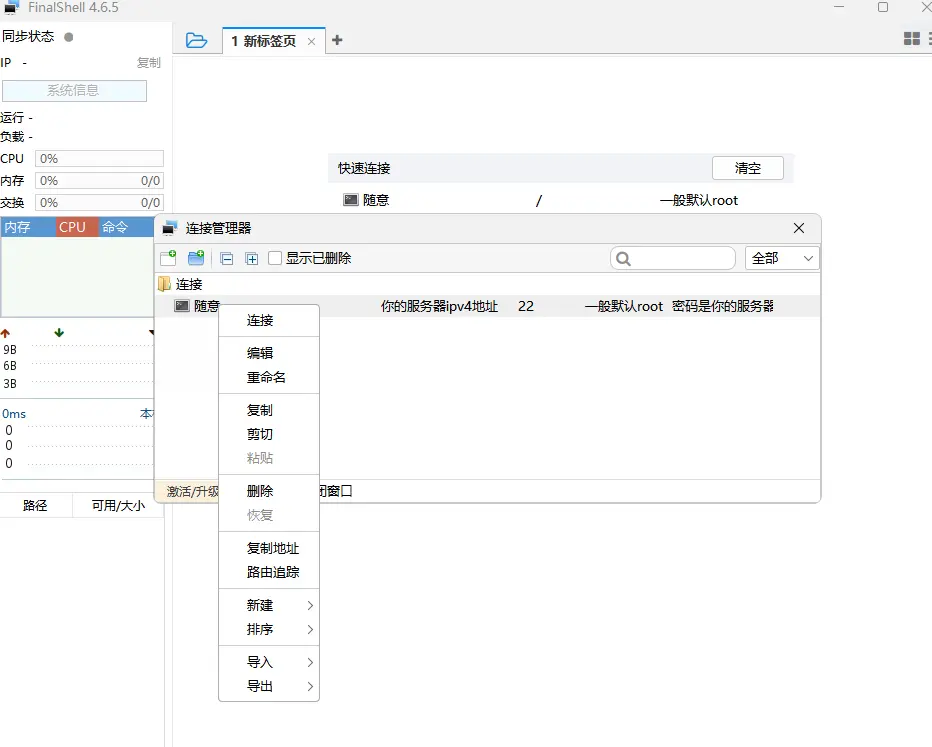
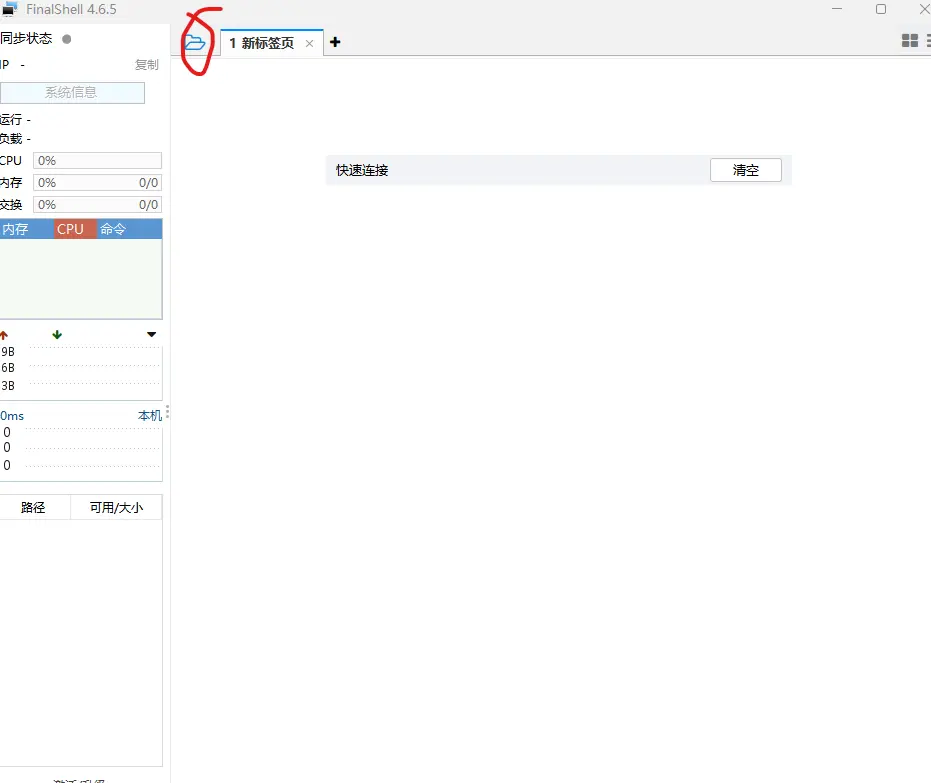
软件安装好后,打开软件,左上角文件夹打开
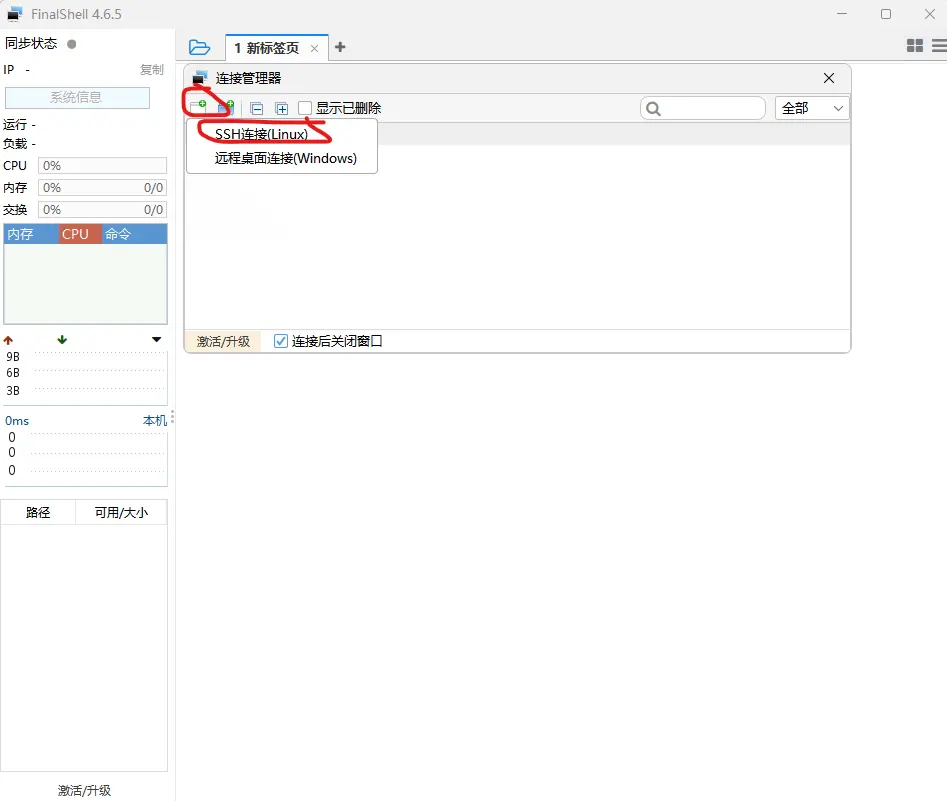
添加ssh连接
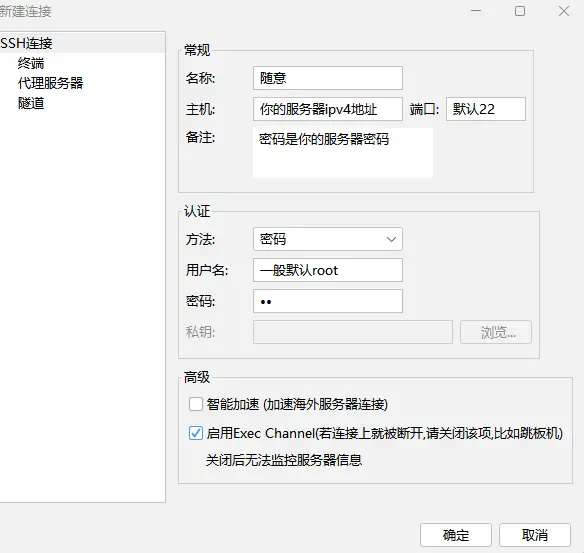
根据提示填写信息,注意的有的服务器商为了安全,会随机更换ssh端口
右键或双击创建的连接