

项目地址:https://github.com/OpenListTeam/OpenList
安装环境
宝塔安装好docker,放行5244端口
创建目录
在/www/wwwroot/目录新建一个文件夹为openalist,在文件夹里面新建docker-compose.yml文件,填入一下代码
version: '3.8'

services:
  openlist:
    image: 'openlistteam/openlist:latest'
    container_name: openlist
    user: '0:0'
    volumes:
      - './:/opt/openlist/data'
      - /www:/www
    ports:
      - '5244:5244'
    environment:
      - UMASK=022
    restart: unless-stopped
    network_mode: host  # 添加这一行以使用 host 网络模式
注意如果你服务器有数据盘,也需要单独映射一下,不然docker识别不到数据盘
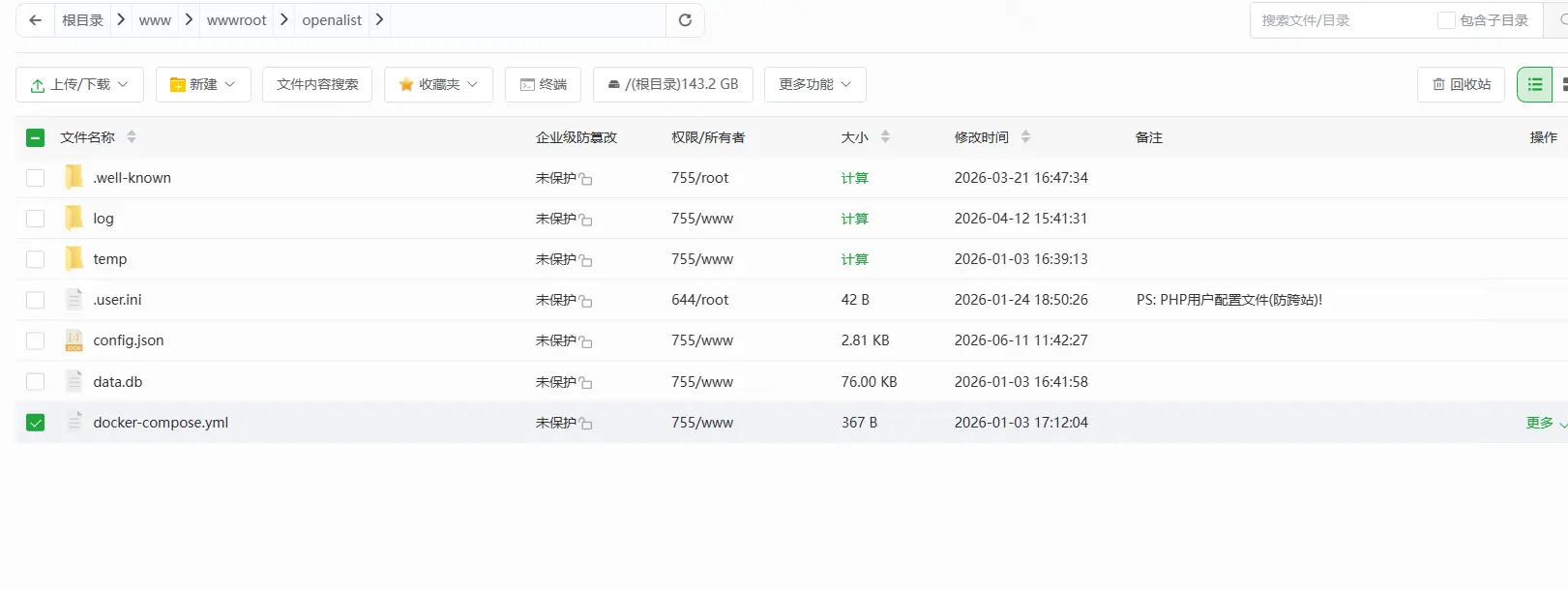
命令安装
然后连上ssh,cd到当前目录,执行以下命令
docker compose pull
docker compose up -d
这部就搭建成功了,管理员账号密码会在日志里面看见,docker日志自己查看
添加反代
当前还是IP+端口才能访问,我需要反代一下变成域名
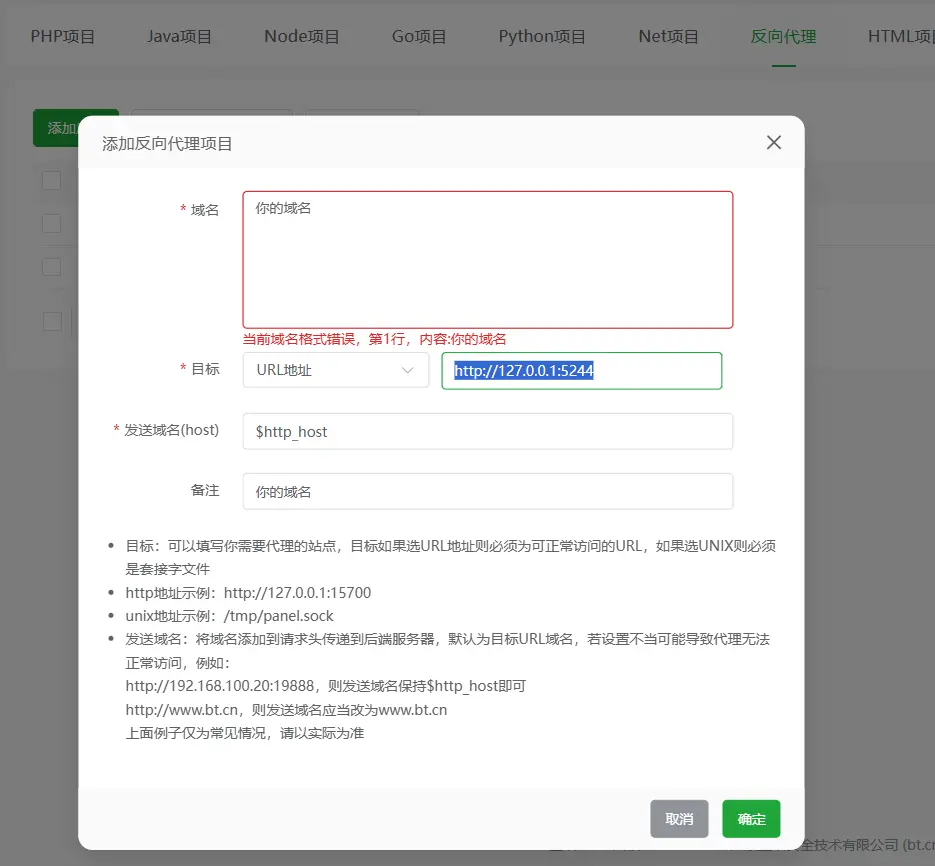
ssl自己一键申请,这里就不描述了。
更换数据库为mysql
我喜欢本地mysql更好管理,不喜欢可以不用管这步,打开openalist目录,找到config.json文件打开
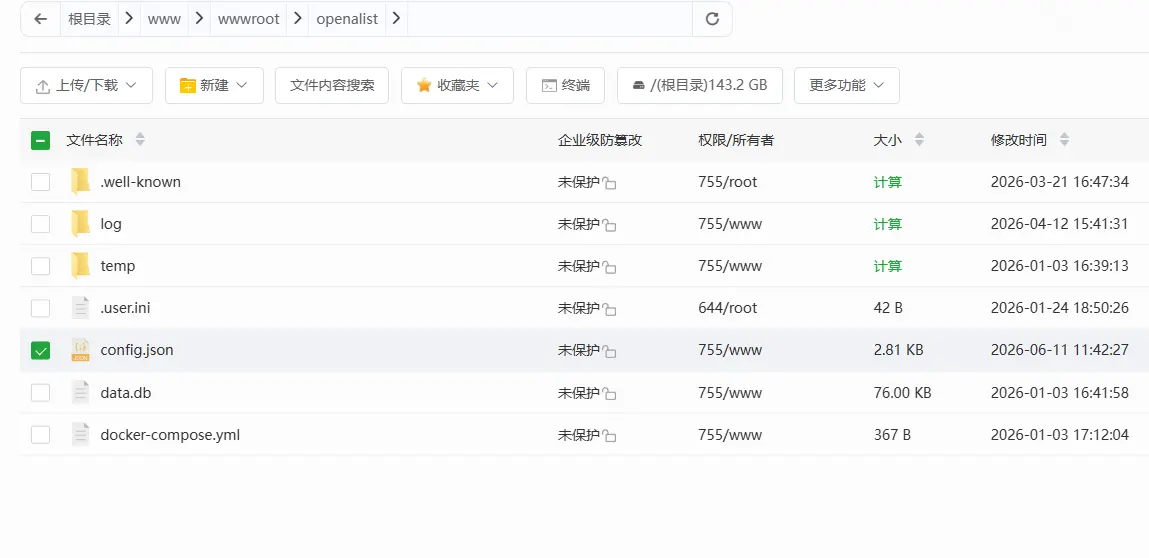
首先创建mysql数据库,将以下信息改好,替换掉config.json的1-18行内容
{
  "force": false,
  "site_url": "",
  "cdn": "",
  "jwt_secret": "wUFbs6UHZ6W4iQ8i",
  "token_expires_in": 48,
  "database": {
    "type": "mysql",
    "host": "127.0.0.1",
    "port": 3306,
    "user": "数据库用户名",
    "password": "数据库密码",
    "name": "数据库名",
    "db_file": "/data",
    "table_prefix": "x_",
    "ssl_mode": "",
    "dsn": ""
  },
然后删掉容器,ssh重新执行docker compose up -d命令,打开phpmyadmin如果自动生成表说明成功了
更新
删除容器和镜像,重新搭建就行了。
<style>
.footer {
    display: none!important;
}
</style>


<div class="footer-wrapper">
    <style>
        .footer-wrapper {
            width: 100%;
            background: #2d3236;
            color: #fff;
            padding: 20px 10px;
            text-align: center;
            position: static; /* 改为 static */
            margin-bottom: 50px; /* 预留底部空间 */
        }

        .about {
            display: flex;
            flex-direction: column;
            align-items: center;
            position: relative;
        }

        .info {
            display: flex;
            flex-wrap: wrap;
            justify-content: center;
            align-items: center;
            gap: 10px;
        }

        .link-group {
            display: flex;
            align-items: center;
            margin: 5px 0;
            position: relative;
        }

        .name {
            padding: 6px 12px;
            background: #fff;
            color: #000;
            border-radius: 5px 0 0 5px;
            margin-right: 0;
        }

        .link-container {
            padding: 6px 12px;
            background: #26517c;
            border-radius: 0 5px 5px 0;
            transition: background 0.3s;
            position: relative;
        }

        .link-container:hover {
            background: #1d3a5f;
        }

        .link {
            color: #fff;
            text-decoration: none;
            position: relative;
            display: block;
            width: 100%;
            height: 100%;
        }

        /* 运行时间样式 */
        .runtime {
            display: flex;
            justify-content: center;
            align-items: center;
            margin-top: 10px;
        }

        .runtime-group {
            display: flex;
            align-items: center;
        }

        .runtime .name {
            padding: 6px 12px;
            background: #fff;
            color: #000;
            border-radius: 5px 0 0 5px;
        }

        .runtime .link-container {
            padding: 6px 12px;
            background: #26517c;
            border-radius: 0 5px 5px 0;
            transition: background 0.3s;
        }

        .runtime .link {
            color: #fff;
            text-decoration: none;
            display: inline-block;
        }

        .state {
            margin-top: 15px;
            font-size: 12px;
            opacity: 0.7;
        }

        /* 响应式调整 */
        @media screen and (max-width: 600px) {
            .info {
                flex-direction: column;
                align-items: center;
            }

            .link-group {
                width: 100%;
                justify-content: center;
            }
        }
    </style>

    <div class="copyright">
        <div class="about">
            <div class="info">
                <div class="link-group">
                    <span class="name">© 2026</span>
                    <div class="link-container">
                        <a class="link" href="https://www.ankuyun.com/" target="_blank" rel="noopener">个人存储</a>
                    </div>
                </div>

                <div class="link-group">
                    <span class="name">管理员</span>
                    <div class="link-container">
                        <a class="link" href="https://oss.ankuyun.com/@manage" target="_blank" rel="noopener">Admin</a>
                    </div>
                </div>

                <div class="link-group">
                    <span class="name">云存储</span>
                    <div class="link-container">
                        <a class="link" href="https://www.ankuyun.com/" target="_blank" rel="noopener">安酷云</a>
                    </div>
                </div>

                <div class="link-group">
                    <span class="name">服务器提供</span>
                    <div class="link-container">
                        <a class="link" href="https://www.ankuyun.com/" target="_blank" rel="noopener">安酷云</a>
                    </div>
                </div>
            </div>
            <div class="runtime">
                <span id="runtime_span"></span>
                <script type="text/javascript">
                    function show_runtime() {
                        window.setTimeout("show_runtime()", 1000);
                        const X = new Date("2/24/2023 00:00:00");
                        const Y = new Date();
                        const T = (Y.getTime() - X.getTime());
                        const M = 24 * 60 * 60 * 1000;
                        const a = T / M;
                        const A = Math.floor(a);
                        const b = (a - A) * 24;
                        const B = Math.floor(b);
                        const c = (b - B) * 60;
                        const C = Math.floor(c);
                        const D = Math.floor((c - C) * 60);
                        runtime_span.innerHTML = `
                            <div class="runtime-group">
                                <span class="name">稳定运行</span>
                                <div class="link-container">
                                    <span class="link">${A}天${B}时${C}分${D}秒</span>
                                </div>
                            </div>
                        `;
                    }
                    show_runtime();
                </script>
            </div>
        </div>
        <div class="state">
            <p>免责声明:本站为私人云储存,网站发布的一切素材可以随意借鉴。</p>
        </div>
    </div>
</div>
